Using the Meat Probe
General information and warnings
- The oven shall be set to a specific operating function and temperature in order to use the meat probe.
- If you have set the oven timer for a specific baking period before using the meat probe, this period is cancelled automatically when the meat probe is installed.
- You cannot use the racks above the meat probe connector while cooking with a meat probe.
- Clean the meat probe with a wet cloth and then dry it with a dry cloth after each operation.
- If 75C is not displayed on functions where the meat probe is activated, ensure that the connector is firmly installed to its seat.
- If the sensor tip of the meat probe is used without putting it inside the meat, the sensor tip detect the temperature inside the oven and terminates cooking when the set temperature is reached. However, if the meat probe is exposed to 250 °C or above, the sensor is rendered useless.
- The operating temperature may be at least 30 °C higher than the meat probe temperature. Example: If the meat probe temperature is set to 70 °C, the operating temperature shall be set to 100 °C minimum.
- The core temperature of the meat (the coldest point) shall be at least 63°C in terms of food safety.
- The core temperature of the coldest point of poultry meat shall be at least 74°C in terms of food safety, and the core temperature shall be 85°C for well-done meat.
Reference table for cooking range of red meat:
Cooking Level Core temperature of the meat* (°C)
Blue 55-59
Rare 60-62
Medium rare 63-70
Medium 71-76
Well-done 77-81
Overcooked ≥ 82
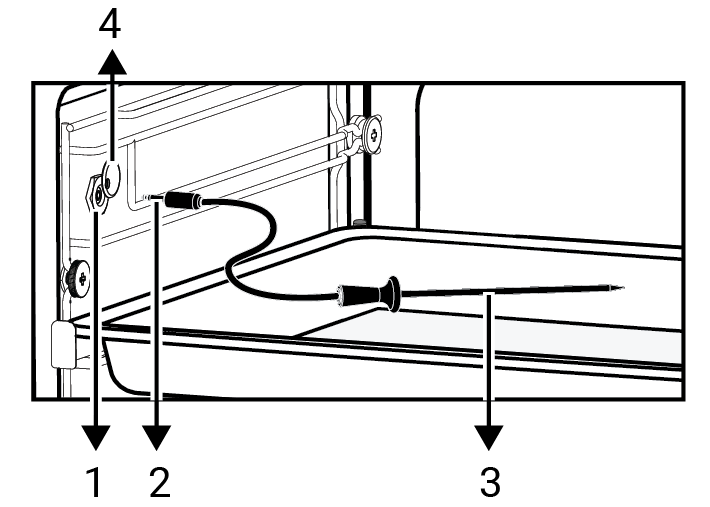
1 | Meat probe slot |
2 | Meat probe connector |
3 | Meat probe sensor tip |
4 | Meat probe slot cover |
Using the meat probe without preheating
- Select the baking function you want for baking with the meat probe, from the baking menu. Make sure that there is a meat probe symbol in the function you have selected.
- Set the in-oven temperature.
- For the meat probe temperature, after touching on the meat probe symbol on the screen, set the desired temperature by turning the control knob to the right/left.
NOTICE

Recommended meat probe temperature is 75 °C. You may change the temperature between 40 and 99 °C as you desire. For the Full steam function, this temperature range is between 40-80 °C.
- Before placing your tray in the oven, insert the probe into your meat and place the tray in the oven.
- Slide the slot cover on the side wall of the oven upwards, and insert the meat probe connector to the meat probe slot.
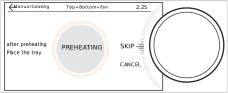
- Start baking by "START" button on the screen. Preheating screen is displayed. For pre-heating, bring the control knob to the "SKIP" level and press the control knob once.
- The warning, which indicates that “Place the tray”, will be displayed on the screen. Open and close the door of the oven. Cooking will start.
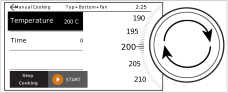
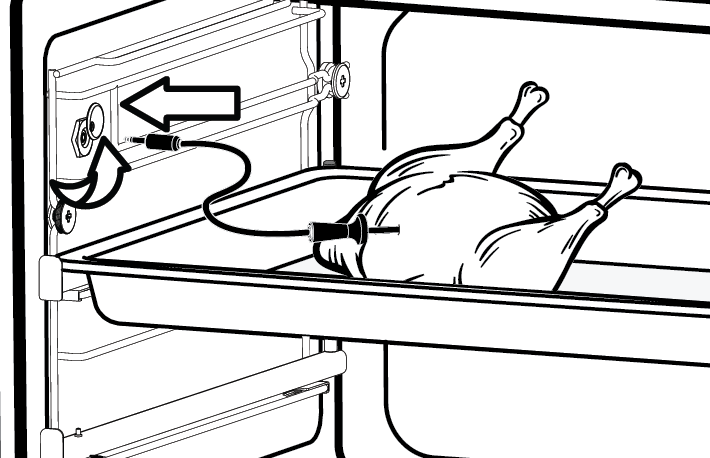
» Your oven detects that your meat probe is attached automatically and probe and in-oven temperature will be displayed on the screen. The meat probe sensor detects that the internal temperature of the meat reaches the set temperature automatically and terminates baking. If you take the probe out of its slot before the baking ends, the warning message will be displayed on the screen.
Using the meat probe by preheating
- Select the baking function you want for baking with the meat probe, from the baking menu. Make sure that there is a meat probe symbol in the function you have selected.
- Set the in-oven temperature.
- For the meat probe temperature, after touching on the meat probe symbol on the screen, set the desired temperature by turning the control knob to the right/left.
- Attach the prob socket by removing the prob slot cover in the oven. Leave the other sensor tip of the probe in the oven.
- Start baking by "START" button on the screen. Preheating screen is displayed. Wait for the termination of pre-heating specific to the meal you will cook.
- After the preheating is completed, place your tray on the related shelf. Insert the sensor tip of the probe into the meat by using protective gloves. After preheating, you should absolutely use protective gloves since the inside of the oven and meat probe will be hot.
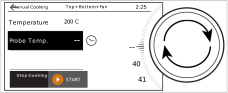
- Your oven detects that your meat probe is attached automatically and probe and oven inner temperature will be shown on the display. The meat probe sensor detects that the internal temperature of the meat reaches the set temperature automatically and terminates baking. If you take the probe out of its slot before the baking ends, the warning message will be displayed on the screen.