Auxiliary Function Selection
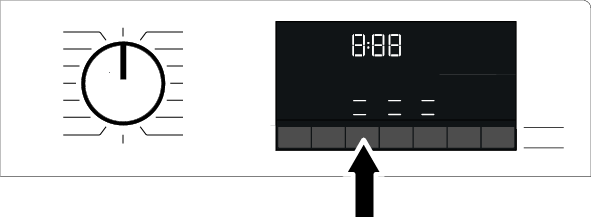
Before starting the program, select the desired auxiliary functions. When a program is selected, the icons for the selected auxiliary function symbol will light up.
NOTICE

When an auxiliary function button that cannot be selected with the current program is pressed, the washing machine emits a warning sound.
Some functions cannot be selected simultaneously. If a second auxiliary function that is incompatible with the first is selected before starting the machine, the first selected function will be canceled, and the last selected auxiliary function will remain selected. For example, if you select Quick Wash after selecting the Extra Water option, Extra Water will be canceled, and Quick Wash will remain active.
An auxiliary function that is not compatible with the program cannot be selected.
Some programs have auxiliary functions that must be used together. These functions cannot be disabled. The frame of the auxiliary function will not light up; only the interior area will light up.
NOTICE
If the selected wetness level (Iron Dry, Cupboard Dry, Cupboard Extra Dry) is not reached at the end of the drying program, your machine automatically extends the program duration. The program takes longer.
If Timed Drying is selected, the programme will finish at the end of the drying time even if the laundry is not dry.
During the drying program, if the selected wetness level (Iron Dry, Cupboard Dry, Cupboard Extra Dry) is reached, or if extra dryness is detected in the timed drying options, the program will take shorter. The time reduction is displayed on the screen.