Changing Selections After Program Starts
Adding laundry after the program has started:
When you press the Start/Pause button, if the water level in the machine is suitable, the door lock is deactivated and the door opens for you to add laundry. After adding laundry, close the door and press the Start/Pause button again to continue washing.
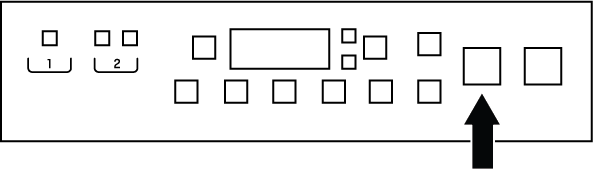
If the water level in the machine is not appropriate when you press the Start/Pause button, the door lock cannot be deactivated.
NOTICE

If the water temperature inside the machine is above 50°C, you cannot disable the door lock for safety reasons (even if the water level is suitable).
Putting the machine into pause mode:
To pause the washing machine, press and hold the Start/Pause button for 1 second. The pause symbol will flash on the display.
Changing the program selection after the program has started:
Changing the program is not allowed while the program is running. If the child lock is not active, you can pause the running program and then select a new program. This will cancel the current program.
NOTICE
The selected program starts over.
Changing auxiliary function, speed and temperature settings:
Depending on the step the program has reached, you can disable or enable auxiliary functions. See "Auxiliary Function Selection"
You can also change the speed and temperature settings. See "Spin Speed Selection" and "Temperature Selection".
NOTICE
If changes are not allowed, an audible warning will be given.