End Time
Time display
When the end time function is selected, the remaining time until the program starts is displayed in the format of 24h, 23h for delays between 24 and 20 hours, and in the format of hours and minutes for shorter delays, such as 19:30.
NOTICE

Programme duration may vary depending on water pressure, water hardness and temperature, ambient temperature, laundry type and amount, auxiliary function selection and changes in mains voltage.
After the end time function is activated, the machine goes into standby mode and some LEDs on the display are turned off. If any user input occurs, the LEDs will turn back on.
The End Time Adjustment function allows you to delay the start of a program for up to 24 hours. The time displayed after pressing the End Time Adjustment button is the estimated end time of the program. If the End Time Adjustment is set, the End Time Adjustment indicator will illuminate at full brightness.
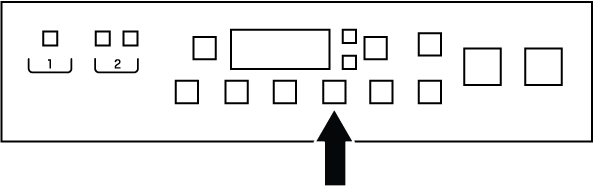
In order for the End Time function to be activated and the program to end at the end of the specified time, the Start/Pause button must be pressed after the time setting.
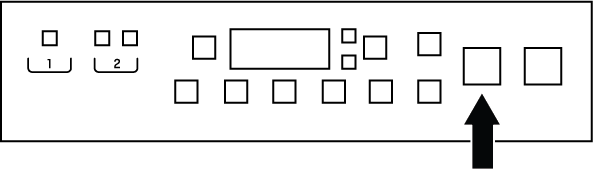
If you want to cancel the End Time function, turn the product off and on by pressing the On/Off button.
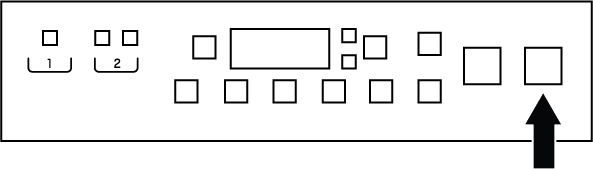
- Open the loading door, place the laundry and add detergent etc.
- Select the washing program, temperature, spin speed and auxiliary functions if necessary.
- After pressing the End Time Adjustment button, adjust the end time using the right and left arrows (< / >) on the information screen. The End Time Adjustment indicator lights up at full brightness.
- Press the Start/Pause button. The countdown begins.
NOTICE
Additional laundry can be added to the machine during the End Time countdown. At the end of the countdown, the End Time Adjustment indicator turns off, washing starts, and the duration of the selected program is displayed.
If the door is opened while this function is running, the countdown will go into pause mode. Press the Start/Pause button again to continue the program.