Changing Selections After Program Starts
Adding laundry after the program has started:
When you press the Start/Pause button, if the water level in the machine is appropriate, the door lock is deactivated and the door opens to allow you to add laundry. When the door lock is deactivated, the door lock symbol disappears from the display.
After adding the laundry, close the door and press the Start/Pause button again to continue the wash.
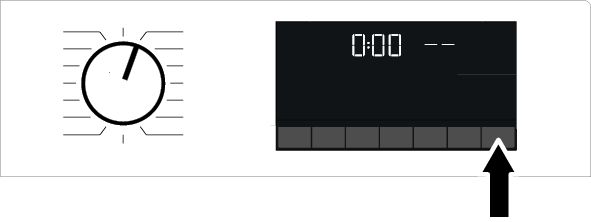
If the water level in the machine is insufficient when you press the Start/Pause button, the door lock cannot be deactivated and the door lock symbol on the display will continue to appear.
NOTICE

If the water temperature inside the machine is above 50°C, you cannot disable the door lock for safety reasons (even if the water level is suitable).
Putting the machine into pause state:
Press and hold the Start/Pause button for about 1 second to put the machine into pause mode. The pause symbol will flash on the display.
Changing the program selection after the program has started:
If Child Lock is not enabled, the program can be changed while the current program is running. This action will cancel the current program.
NOTICE
The selected program starts over.
Changing auxiliary function, speed and temperature settings:
Depending on the step the program has reached, you can disable or enable auxiliary functions. See "Auxiliary function selection."
You can also change the spin speed and temperature settings. See "Spin speed selection" and "Temperature selection."
NOTICE
If the water temperature inside the machine is high or the water level is above the cover line, the loading door will not open.