Spin Speed Selection
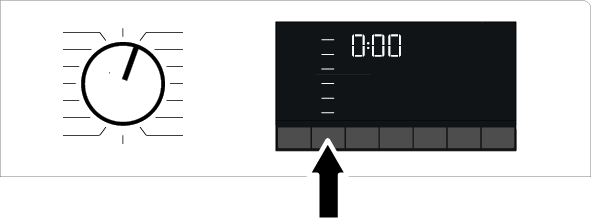
When a new program is selected, the recommended spin speed for the selected program appears in the Spin Speed indicator. It is possible that the recommended spin speed is not the highest spin speed that can be selected for the current program.
To change the spin speed, press the Spin Speed Adjustment button. The spin speed decreases in stages.
The options "Soak  " and "No Spin
  " will then appear on the screen, depending on the product model.
If you are not going to empty the machine immediately after the end of the program, you can use the Soak function to keep your laundry in the final rinse water to prevent them from wrinkling in a dry environment.
This function keeps your laundry in the final rinse water. If you want to spin after the rinse hold function:
- Adjust the Spin Speed setting.
- Press the Start/Pause button. The program will continue where it left off. The machine will drain the water and spin the laundry.
If you want to drain the water without spinning at the end of the program, you can use the No Spin function.
NOTICE

No changes can be made in programs that do not allow spin speed.
If the washing steps allow it, you can change the spin speed after the wash has started. If the steps do not allow it, no changes can be made.
Soaking
If you are not going to empty the machine immediately after the end of the program, you can leave your laundry soaking in the final rinse water to prevent them from wrinkling in a dry environment.
If you want to drain the water without spinning your laundry after this process, press the Start/Pause button. The program will continue where it left off and complete after draining the water.
If you want to spin laundry that has been soaking in water, adjust the Spin speed and press the Start/Pause button. The program will continue where it left off. The water will be drained, the laundry will be spun, and the program will end.